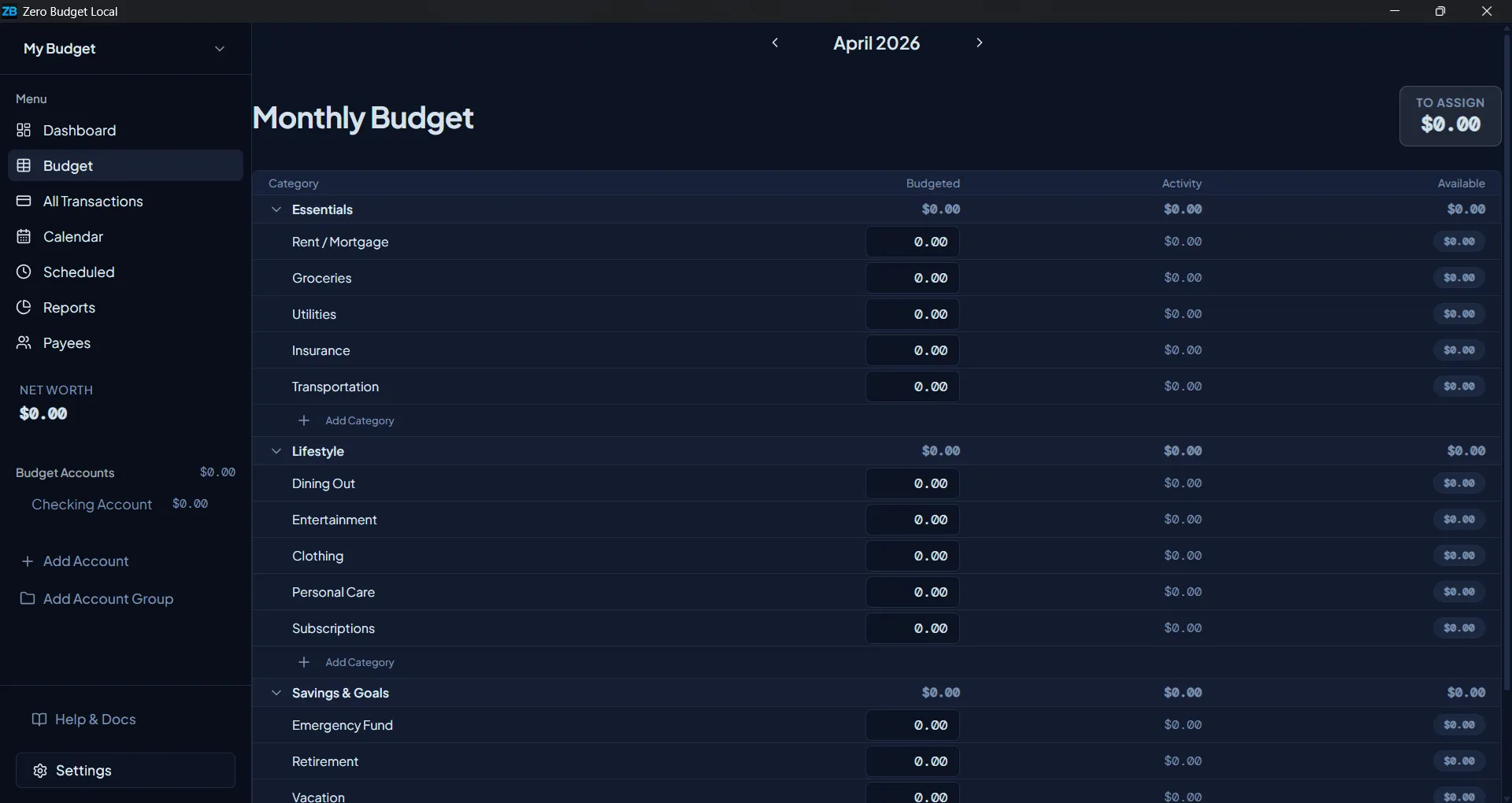
Zero Budget Local is a zero-based budgeting app that lives entirely on your computer. No cloud sync, no monthly fees, no account required — just a clear picture of where your money goes.
Zero-based budgeting means assigning your income to categories until you have $0 left to assign. Not $0 in the bank — $0 unassigned. It's a powerful shift that makes you intentional about every purchase before you make it.
The budget page is the heart of the app. Organize spending into category groups, allocate money each month, and see at a glance how much is available in each area of your life.
Set a savings goal on any category. Zero Budget tracks your progress month-by-month and shows how much you still need to assign.
Target types
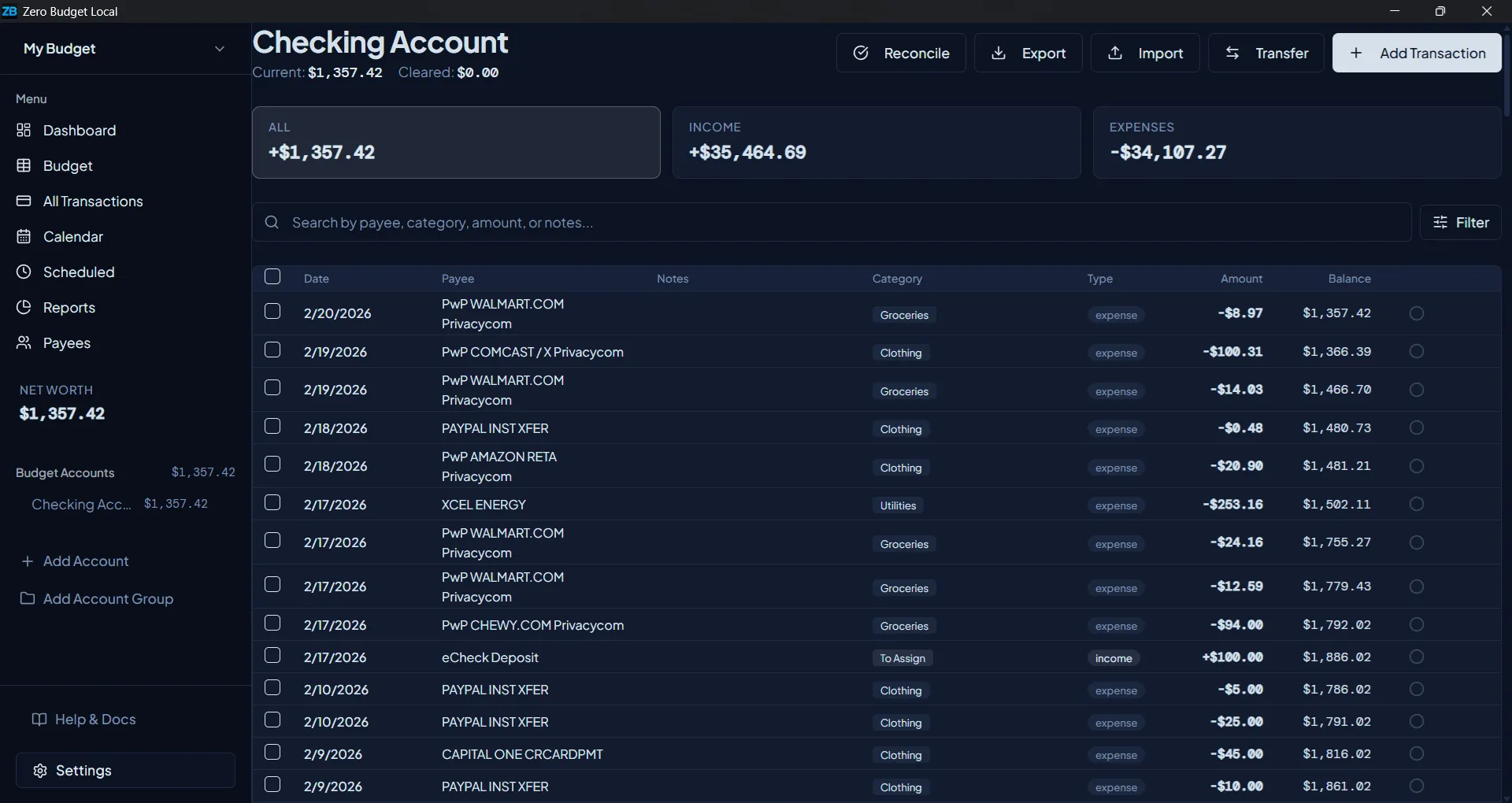
Transaction list
Split Transaction
Divide one receipt across multiple categories — e.g., groceries & household supplies from the same Target run.
Import from Bank
Upload OFX/QFX files directly from your bank, or map columns from a CSV export.
Add transactions as you spend — manually, via bank import, or from a scheduled template. Inline editing keeps you in flow, and powerful filters let you find anything instantly.
Four built-in reports give you an instant overview of your finances. Need something specific? Build a custom chart and save it alongside the built-ins.
Custom Reports
Build your own: choose a data source, chart type (bar, line, or pie), date range, and optional category filters. Saved reports persist across sessions.
Spending by Category
Last 3 months
Zero Budget Local stores everything in a single SQLite file on your own machine. We have no servers, no user accounts, and no telemetry. Your budget is yours — completely.
All budgets, transactions, accounts, and settings are stored in a single .db file on your computer. You always know exactly where your data is.
Add a lock screen to prevent unauthorized access when you step away from your computer. Your password is stored as a secure hash — we never see it.
Export the entire database to a .db file at any time. Moving to a new computer? Copy the backup file over and restore with one click.
A focused set of tools that cover the full personal finance workflow — without the bloat.
Track recurring bills and income. Set any frequency — daily, weekly, monthly, quarterly, or yearly — with an Active toggle to pause without deleting.
See all your upcoming scheduled transactions laid out on a monthly calendar. Plan ahead and make sure funds are in the right account on the right day.
Manage accounts in different currencies. Live exchange rates are fetched daily and cached locally. Or enter your own fixed rates for full control.
Merge duplicate payees from bank imports. Create normalization rules that automatically clean up payee names during future imports.
YNAB-style credit card behavior. Every categorized CC charge automatically funds your CC payment category, so you always know exactly how much debt is covered.
Define rules that automatically assign a category when a payee name matches a pattern. Applied on every manual entry and bank import.
Organize accounts into collapsible named groups in the sidebar — e.g., "Credit Cards", "Loans", "Savings". Each group shows a running subtotal.
Light, Dark, System, Slate, Warm, and Midnight — pick the look that suits your workflow. The app respects your OS light/dark preference automatically.
Manage completely separate budgets — personal, household, business — each with their own accounts, categories, and transactions. Switch instantly from the sidebar.
Already using YNAB or Actual Budget? Import your full budget — accounts, categories, payees, transactions, and allocations — in minutes. Nothing gets left behind.
YNAB Web / YNAB 5
Export from YNAB Settings → Export Budget. Zero Budget reads the ZIP and imports everything, including credit card account detection.
YNAB 4 (legacy)
The classic .yfull ZIP from the YNAB 4 desktop app is fully supported.
Actual Budget
Use Actual's Settings → Export data ZIP. Accounts, categories, transactions, and payees all transfer over.
Every budget can be exported back to YNAB-compatible formats at any time. You're never locked in.
Bank imports — Upload OFX/QFX files from any bank directly, or use the CSV mapper to handle any export format your bank provides.
Download Zero Budget Local for free and try it as long as you need. A one-time license key unlocks the full app — no recurring charges, ever.